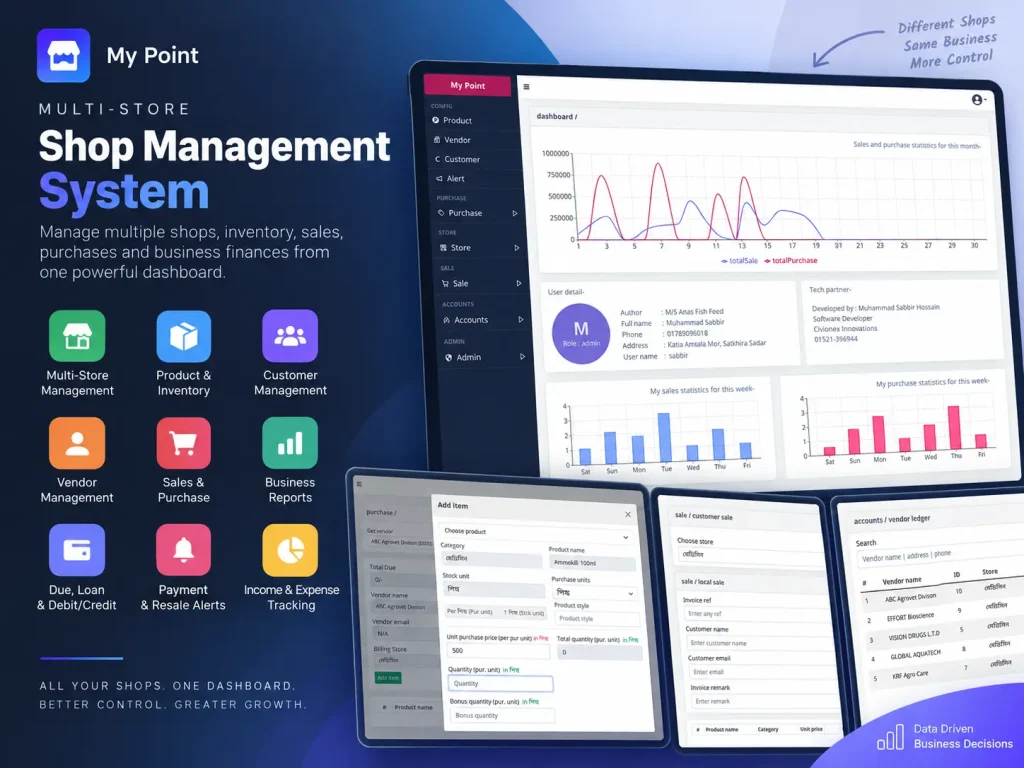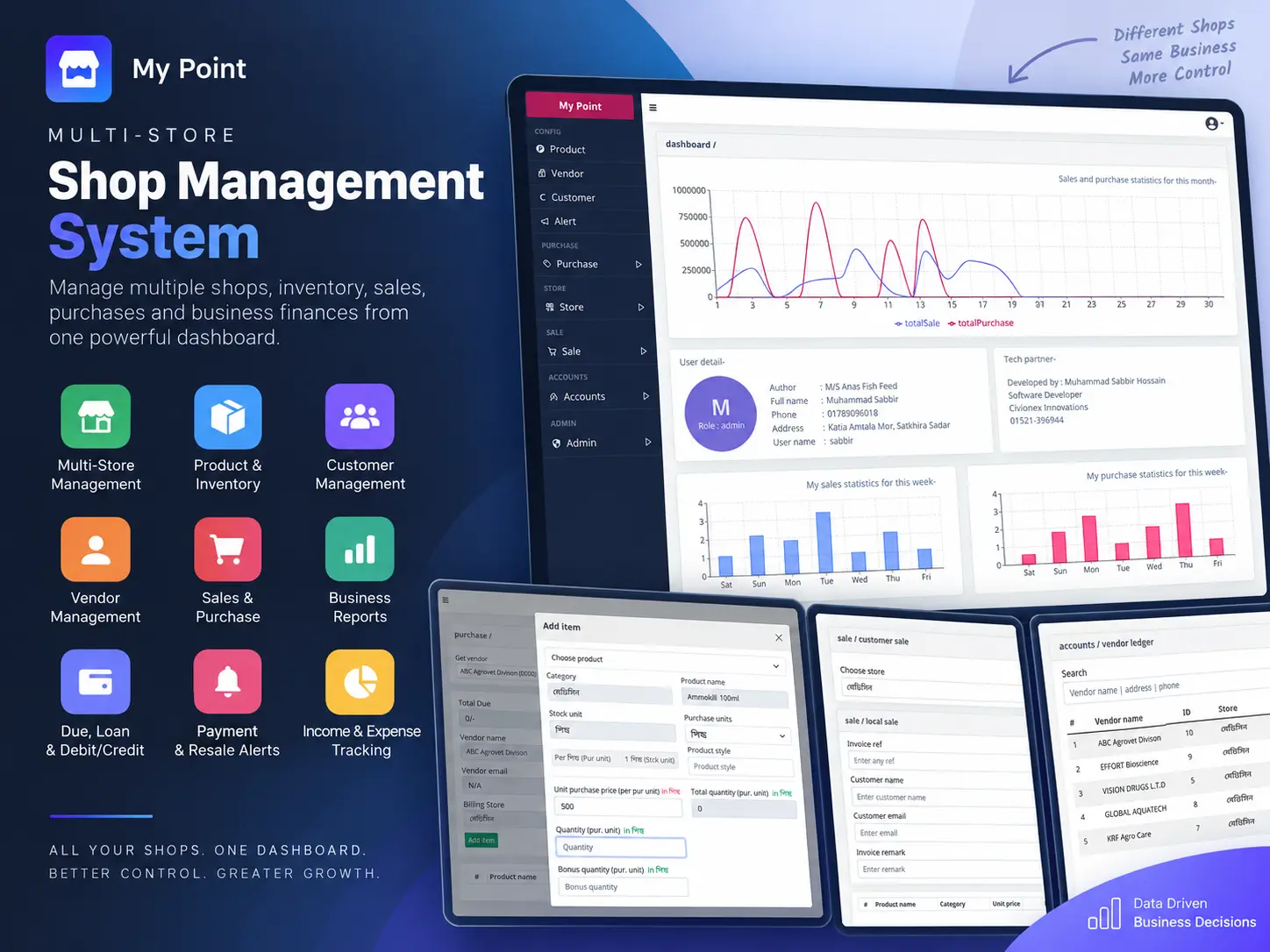
Businesses operating multiple shops, departments, or stalls under the same organization often need to track each unit independently while still maintaining a centralized view of the entire business. For example, a shopping complex may have separate shops for clothing, groceries, cosmetics, or other products, while all of them belong to the same business.
Managing these operations through separate records can make it difficult to understand which shop has how much stock, what customers owe, what vendors need to be paid, how much cash has been generated, and how each shop is performing.
I built this system to solve that problem by providing a centralized management dashboard with store-level data isolation.
The business can create multiple stores from the same dashboard and assign products, customers, vendors, purchases, sales, and financial transactions to the appropriate shop.
Each store maintains its own operational data, so a clothing shop can have its own inventory and transactions while a grocery or cosmetics shop maintains completely separate records. At the same time, the business owner can access and manage everything from one centralized system.
This structure makes the system suitable for businesses such as shopping complexes, multi-department retailers, businesses with multiple stalls, or organizations operating several shops under the same ownership.
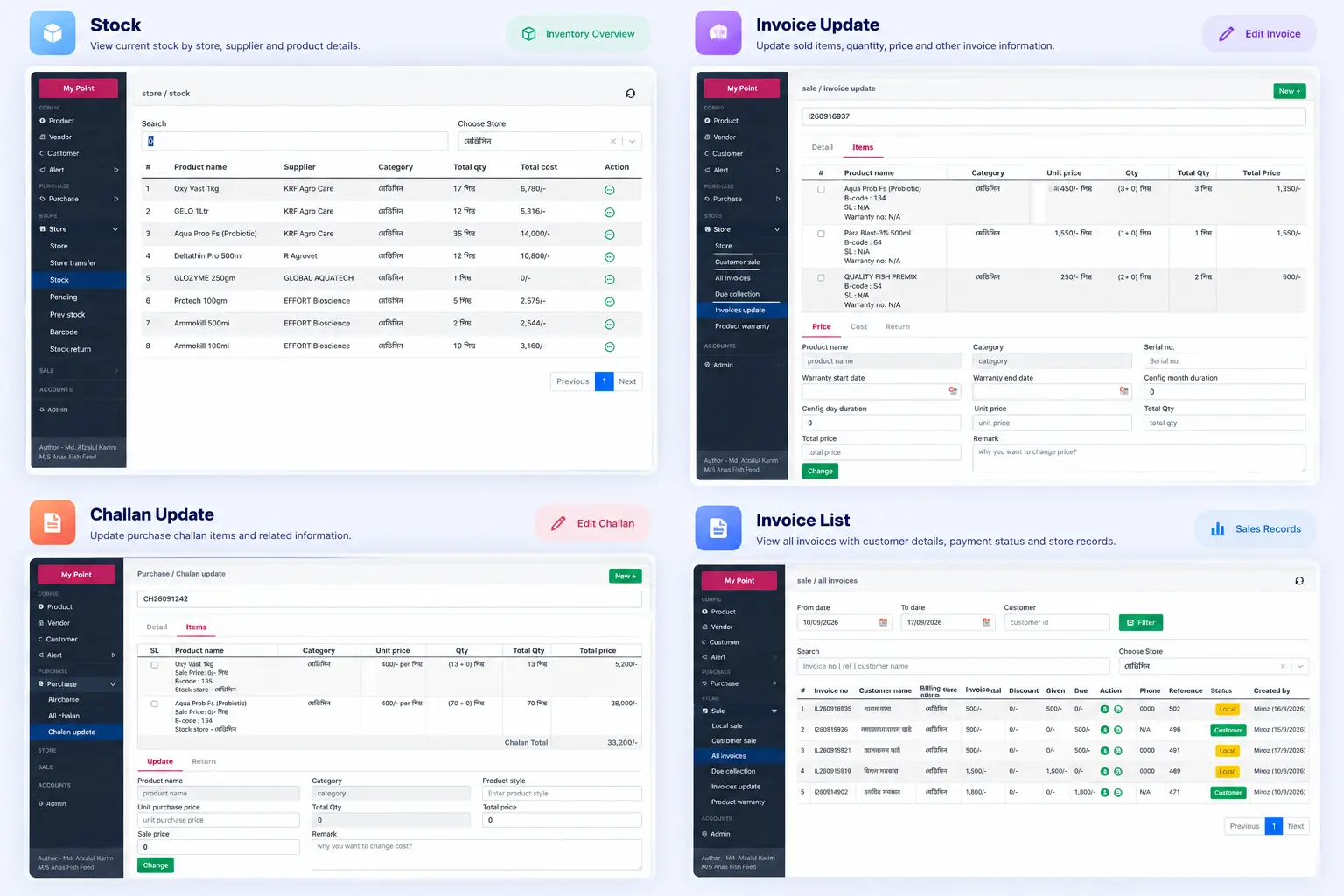
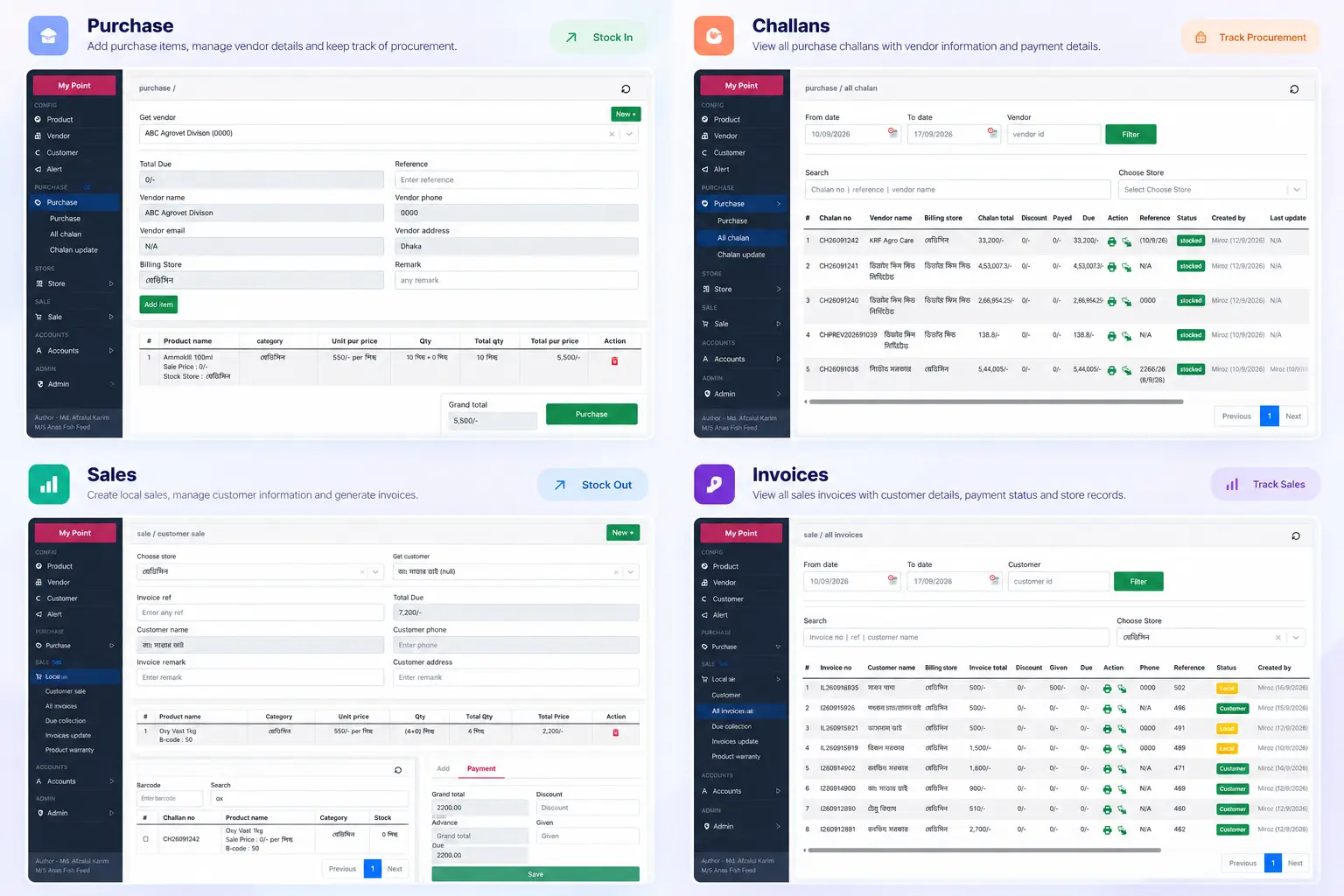
The system manages the complete product flow, from purchasing stock from vendors to selling products to customers.
Users can record purchases with quantities, bonus quantities, purchase prices, selling prices, vendors, and store information. Sales can then be recorded against the appropriate store and customer while automatically maintaining relevant stock and transaction information.
The dashboard also provides monthly and weekly sales and purchase statistics, allowing the business owner to quickly understand transaction activity without manually going through individual records.
The reporting system is one of the core parts of the application. Instead of only showing basic sales totals, it allows the business owner to investigate different parts of the business over a specific date range.
For example, the owner can generate sales reports for a particular period and analyze how much business was generated during that time. Reports can also be narrowed down using specific products or customers, making it possible to investigate the performance of an individual product or understand transactions associated with a particular customer.
The system also provides purchase reports, allowing the business to review purchasing activity within a selected period and filter the information based on vendors or products.
The system keeps separate financial records for customers and vendors. Business owners can see customer due amounts, vendor dues, debit/credit transactions, lending, and loan-related balances for each store.
Customer ledger reports allow the business to review how much a customer owes, payments made, and debit/credit activity over a selected period. Similarly, vendor ledger information helps track outstanding amounts and transaction history with suppliers.
This gives the business a way to move beyond simply recording sales and purchases and actually understand its outstanding financial position.
The reporting dashboard provides a snapshot of the current financial condition of a store, including:
These figures are isolated by store, so the business can understand the financial position of an individual shop rather than relying only on combined business-level numbers.
I also implemented tracking for the user’s cash flow. The system records how much cash is generated and how much is spent through business activities.
This allows the user to understand their current cash position—how much cash has come in, how much has been expensed, and how much cash is currently available in hand.
This is particularly useful for day-to-day shop management, where the business owner needs to reconcile actual cash with recorded transactions.
The system maintains historical income and expense records that can be queried using date ranges and record types.
Rather than looking only at the current balance, the business owner can investigate when money was received, where expenses occurred, and how the financial position changed over a specific period.
This creates a more complete financial history for each individual store.
The system also includes an alert mechanism for future customer-related activities. Users can create alerts for customers who are expected to make a payment or return for a purchase on a specific date.
Alerts remain visible with their status, helping users keep track of pending follow-ups and reducing the chance of forgetting important customer transactions.
The result is a centralized full-stack management platform for a single multi-shop business. Instead of maintaining separate systems for each department or shop, the business can manage everything from one dashboard while preserving clear separation between stores.
The system combines multi-store data management, inventory, purchasing, sales, customer/vendor ledgers, cash flow, debit/credit tracking, lending, loans, alerts, and detailed reporting into one application—giving the business both day-to-day operational control and a clearer view of its financial position.
React · Node.js · Express.js · Sequelize · MySQL